
RPG character generator
Pixel art RPGcharacter generator
Make a whole cast for your RPG: party members, monsters, bosses and villagers. Then animate them for combat.
Make your partyNo account needed. 5 free images a day.
34,000+ images made on Pixler
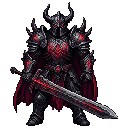
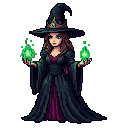
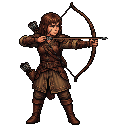
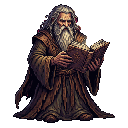
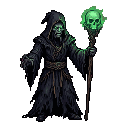
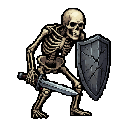 Demon knight
A party, and the monsters they fight
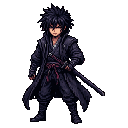
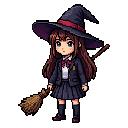
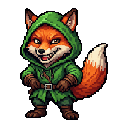
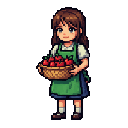
Three steps to a cast
- 01
Describe a class and a look
For example: "dwarf cleric with a warhammer and round shield".
- 02
Animate for combat
Attack, cast, hurt and death, or a skill that you describe in words.
- 03
Keep one look
Lock one palette for the party and the enemies.
Build the party. Then send them into battle.
Everything an RPG cast needs
Party, enemies, bosses, NPCs
Knights, mages, rogues and clerics. Slimes, goblins, skeletons and dragons. Shopkeepers, guards and quest givers.
Combat animation
Idle, walk, run, attack, cast, hurt and death presets. Each one is a sprite sheet of 2 to 16 frames.
One look for the cast
Lock a palette such as NES, Game Boy or PICO-8 in a project, so the hero of today matches the boss of next week.
Animate the characters you have
Upload a character from an asset pack or your own art, and animate it with the same presets.
Try it before you pay
5 a day
free images, no account needed
2 free
animations when you sign in
$8/mo
800 images or about 160 animations a month
Questions
What sizes work for RPG characters?
32×32 for classic overworld sprites, 64×64 for SNES style battle sprites, 128×128 for modern indie RPGs, and 256×256 for large bosses. The default is 128×128.
Can it animate attacks and spells?
Yes. Use the Attack, Cast, Hurt and Death presets for combat. Or pick Custom and describe the move, such as "swings the axe overhead" or "raises the staff and summons fire".
Can it make 4 or 8 direction walking sprites for top down RPGs?
Not yet. Pixler makes characters in one view, and the Turnaround preset spins a character in place. Separate 4 and 8 direction views are on the public roadmap.
How do I keep the party and enemies consistent?
Lock one palette, keep one style and save it as a project. Every new character then uses the same look. Several variations for each prompt let you pick the closest match.
Does it work with RPG Maker, Godot and Unity?
Yes. Sprites and sprite sheets are standard transparent PNGs. Set the texture filter to nearest in Godot or to Point in Unity, and slice sheets by the frame count.
Can my coding agent build the cast?
Yes. Connect Claude Code, Cursor or Codex to the Pixler MCP server and ask for the characters. The agent makes them, animates them and saves the PNGs in your project.
Can I use the art in a commercial game?
Yes. You can use art made on pixler.dev in commercial games and products on every plan. You do not need to credit Pixler.